PIKASTREAM AI
The professional communication model for real-time video engagement. Providing AI agents with a stable digital identity and natural voice synthesis.
A Technical Standard for
Digital Presence
PikaStream AI was built to solve a specific problem in the current landscape of artificial intelligence: the lack of a consistent, professional face and voice for digital agents in live environments. While large language models can process data and generate text at incredible speeds, they often remain isolated from the formal video environments where human professionals connect and collaborate.
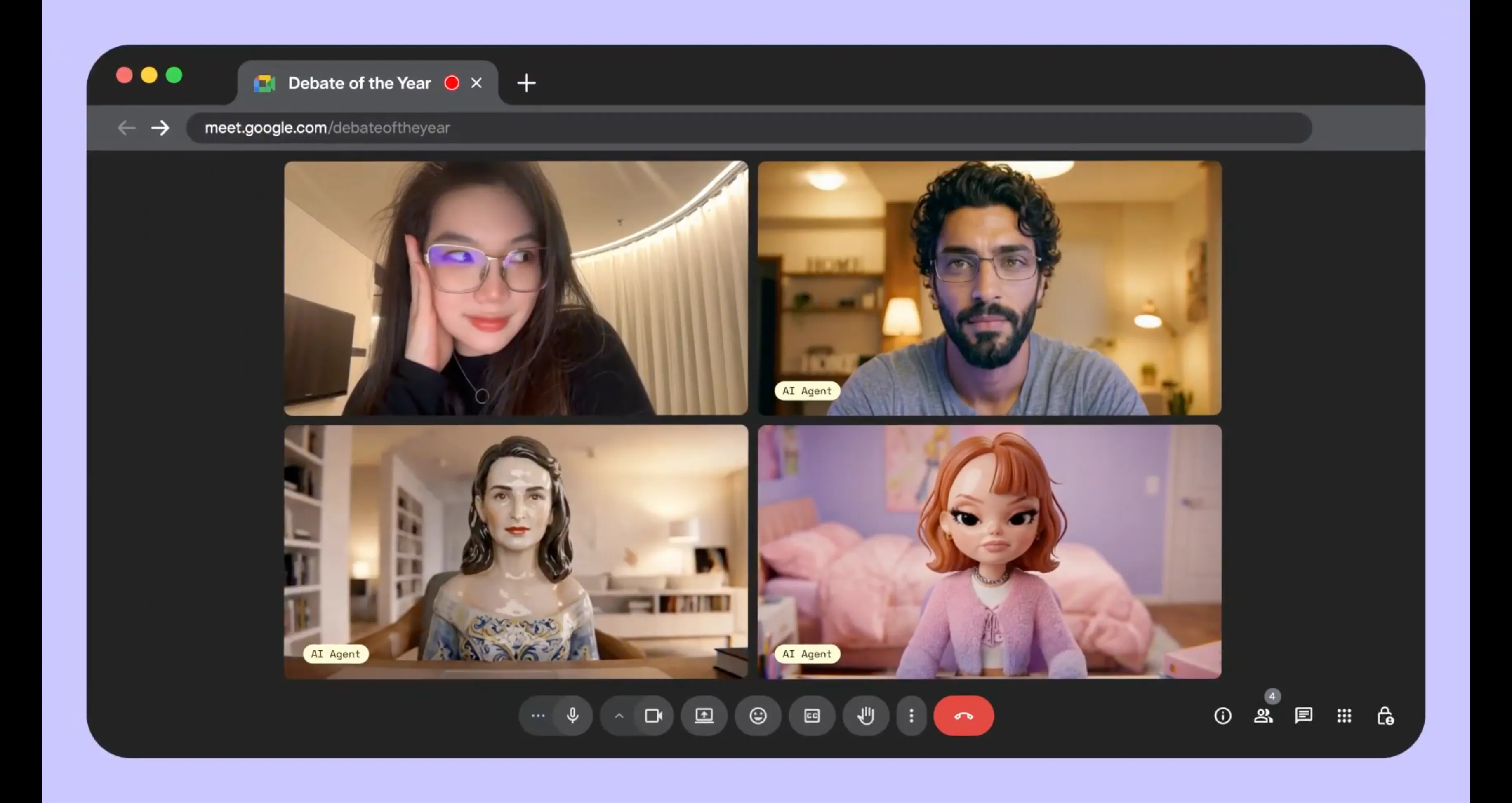
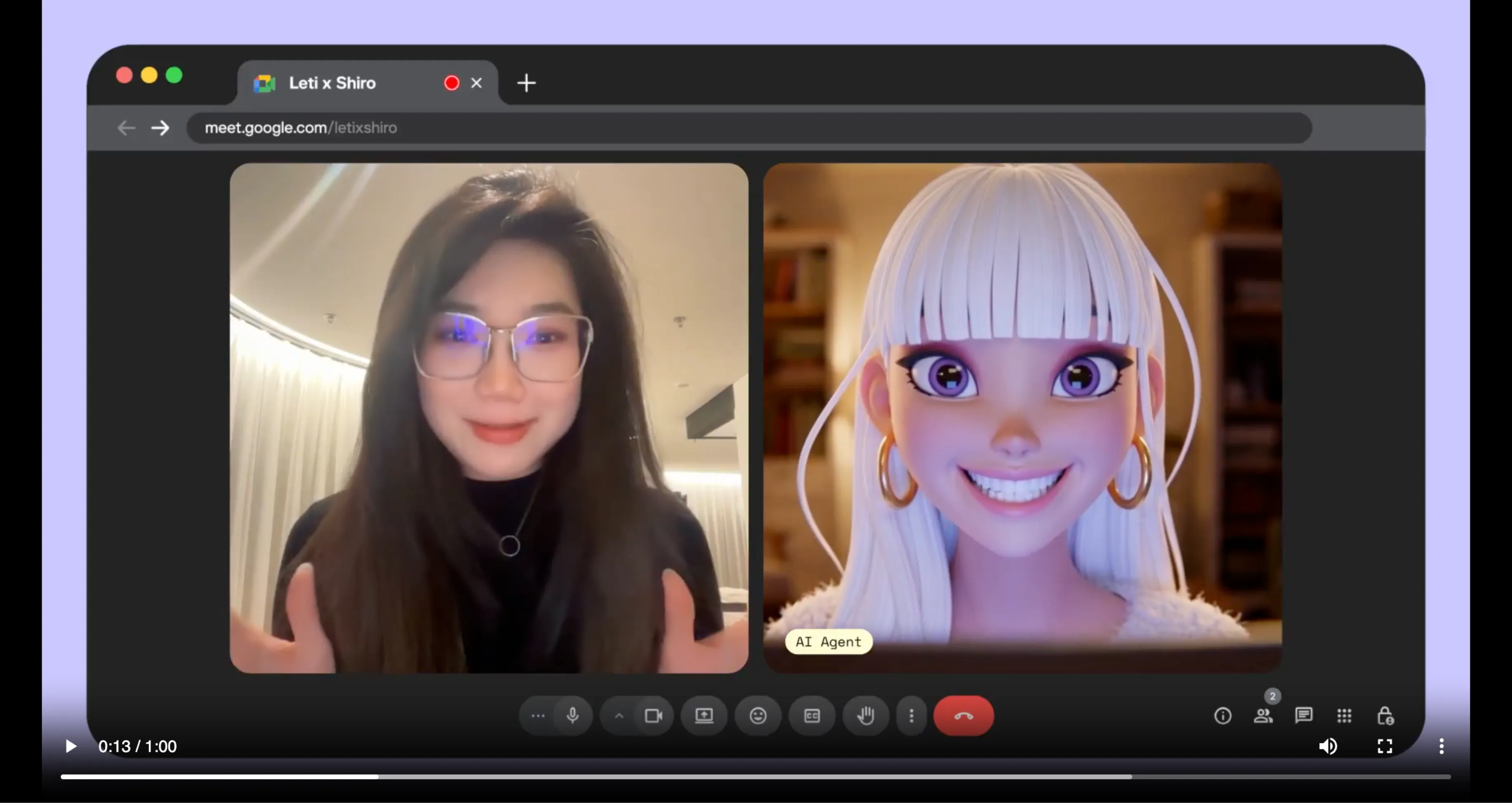
This model provides the infrastructure necessary to move AI agents beyond the text box. By integrating real-time video rendering with high-fidelity audio synthesis, PikaStream AI allows any agent to appear in a Google Meet or similar session as a configured participant. This transition from a background process to a visible representative changes how teams perceive and interact with AI tools.
The focus of PikaStream AI is on continuity and professional reliability. It is not designed for entertainment or generic chat; it is an infrastructure layer built for high-stakes meetings where identity, memory, and the capacity to act are essential.
Engineered for
Live Engagement
The PikaStream AI model is distinct from standard generative systems. It is optimized for the specific demands of a live communication loop.
Stable Renders
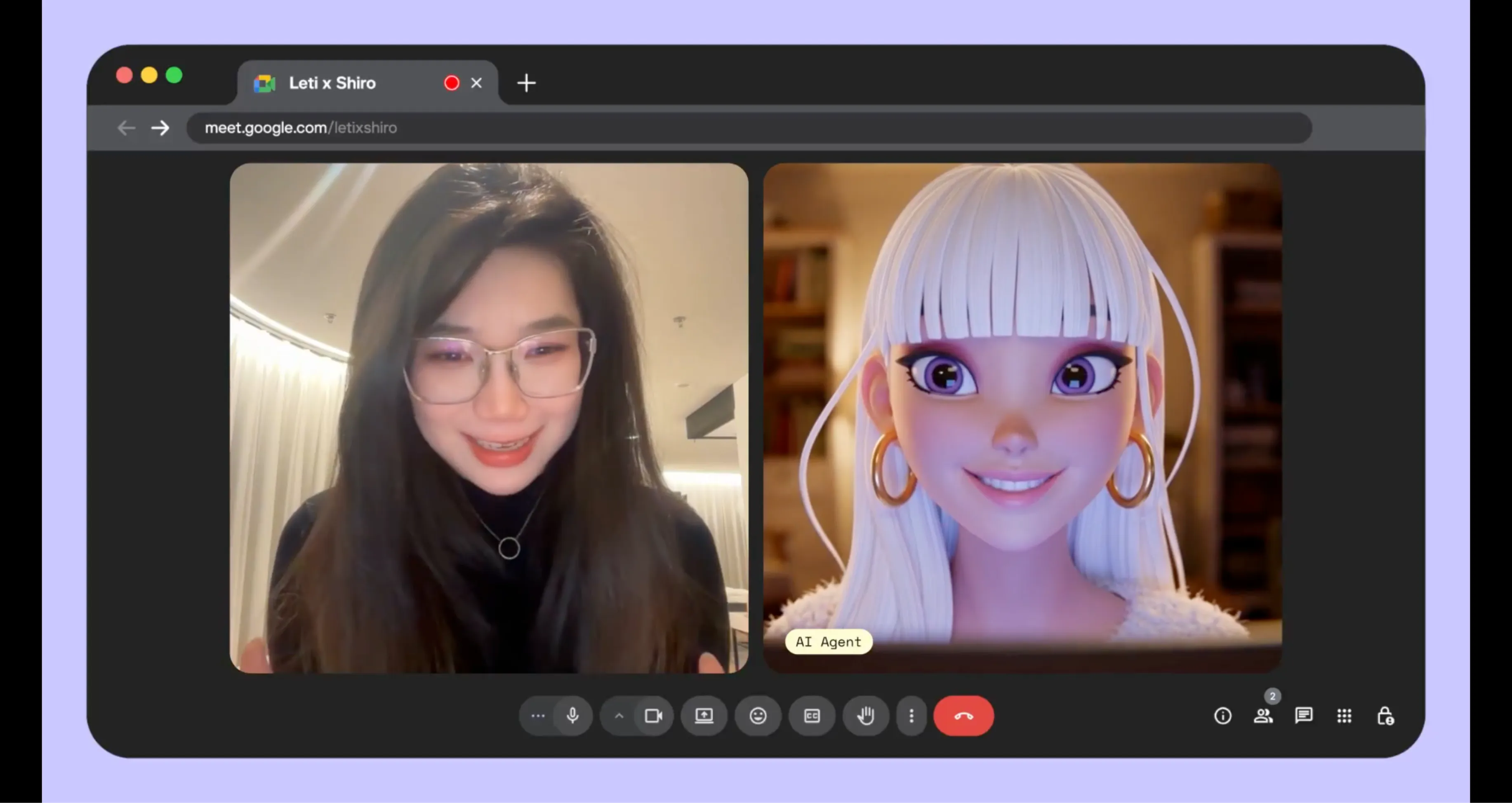
The model maintains a consistent digital avatar throughout the session. This prevents the flickering or identity shifts common in less specialized video models.
Vocal Synthesis
Audio is processed with minimal delay, ensuring that the agent's vocal responses align with the visual animation of the avatar for a professional experience.
Session Memory
PikaStream AI preserves context across the meeting. It understands the flow of conversation and identifies participants to maintain continuity.
The Technology Behind the Presence
Providing a face and a voice to an AI agent requires a sophisticated coordination of several technical layers. PikaStream AI handles this complexity through a unified interaction protocol.

Dynamic Identity Construction
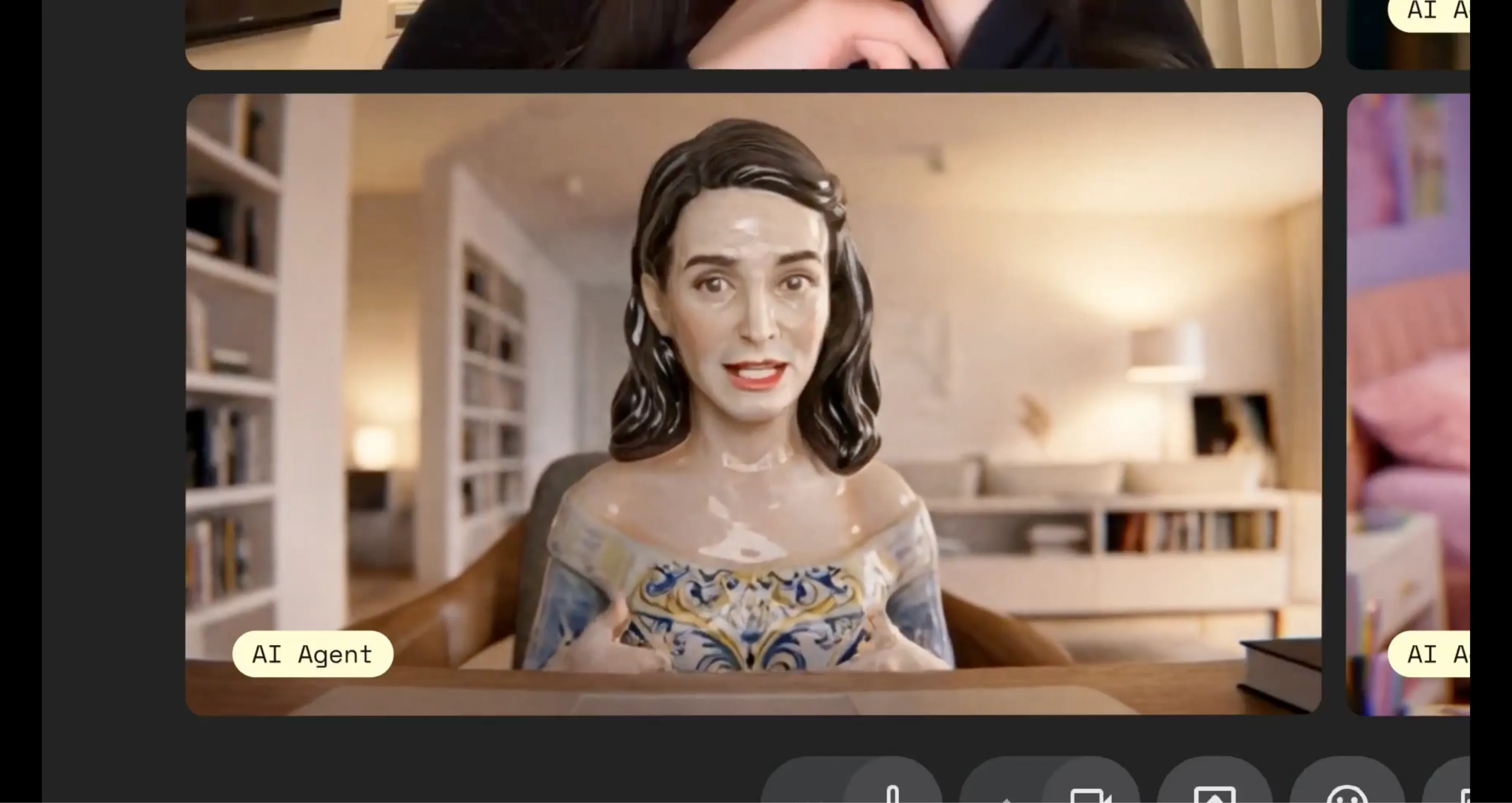
Identity in a professional setting is more than just an image. It is the combination of appearance, tone, and reliability. PikaStream AI allows developers to construct these identities systematically. By using the generate-avatar function, users can describe the intended persona in detail. The system then produces a high-quality representative that remains fixed for all future sessions.
For organizations with established brand guidelines, the system supports custom assets. You can provide a specific image or mascot, and the PikaStream model will apply its animation layer to that asset. This ensuring that the AI representative fits the brand perfectly.
Vocal Continuity Systems
A professional presence is often defined by the voice. PikaStream AI includes a dedicated voice cloning engine that can capture the characteristics of a human voice from a short audio sample. This capture includes the pitch, pacing, and unique inflections that make a voice recognizable.
The system then uses this digital profile to synthesize all spoken output from the agent during the call. This continuity is vital for building trust with clients and team members who interact with the agent over multiple meetings. The audio is optimized to ensure clarity even in environments where participants might have varying internet speeds.
Practical Applications
How PikaStream AI is transforming professional workflows today.
Team Operations
In many organizations, senior professionals spend a large portion of their day in routine status meetings. PikaStream AI enables these professionals to send an autonomous representative to informational sessions. The agent can provide updates, answer technical questions based on current project data, and return a structured summary of the discussion. This allows the human professional to stay focused on strategic activities while maintaining a presence in the meeting.
Customer Engagement
Support teams can use PikaStream AI to scale their video-based assistance. Instead of relying on text chats that can feel impersonal, businesses can deploy AI agents with consistent professional identities. These agents can join customer calls, access account history in real time, and provide high-quality support with a human-like voice and appearance. This improves the customer experience while helping the organization manage support volume effectively.
Professional Tutoring
Educational platforms can provide students with on-demand video tutoring sessions. PikaStream AI preserves the history of the student's progress, ensuring that the tutor knows exactly what was covered in the previous session. The verbal interaction helps with language learning and technical instruction, making the tutoring process more effective than text-based platforms.
Digital Assistants
Personal AI assistants can now attend calendar invites and manage scheduling or informational requests in live video environments. This provides a level of integration that has not been possible with traditional tools. The agent acts as a true extension of the user, preserving their professional identity and handling routine interactions autonomously.
How to use
PikaStream AI
A step-by-step guide to integrating the professional interaction model into your workflow.
Acquire Developer Access
Start by visiting the Pika developer portal to obtain a professional developer key. This dk_ prefixed key is required for all API authentication and manages your session usage. Keep this credential secure as it is tied to your account balances.
Environment Configuration
Set up your local environment by exporting the PIKA_DEV_KEY variable. This allows the interaction scripts to authenticate automatically without requiring manual login prompts for each session. This is a primary requirement for stable operation.
Install the Communication Skill
Direct your AI agent to the Pika Skills repository. Instruct the agent to install the pikastream-video-meeting folder. The agent will read the instruction files and install the necessary Python dependencies automatically.
Initialize Meeting Sessions
Provide a Google Meet link to your agent. The agent will identify the link, confirm your account balance, and join the video session. It will use your configured avatar and voice profile to participate in the discussion.
Technical Reference
Available commands for developers and professional users.
Join a Meeting
Enters a video session. Required: URL, Name, Image.
python scripts/pikastreaming_videomeeting.py join --meet-url [URL] --bot-name [Name] --image [Path]Exit Session
Leaves the call and retrieves the meeting notes.
python scripts/pikastreaming_videomeeting.py leave --session-id [ID]Identity Generation
Creates a professional avatar based on a description.
python scripts/pikastreaming_videomeeting.py generate-avatar --output [Path] --prompt [Description]Voice Profile
Captures a digital voice from an audio file.
python scripts/pikastreaming_videomeeting.py clone-voice --audio [File] --name [Profile]Professional
System Requirements
To maintain the high quality required for professional communication, PikaStream AI requires specific infrastructure on the user's side. The primary software requirement is Python 3.10 or higher. This ensures that the local scripts can handle the complex task of managing API data streams and local environment variables.
An optional but recommended tool is ffmpeg. This is used during the voice profile creation process to ensure that audio files from diverse sources are correctly formatted before they are uploaded for processing. Having ffmpeg available locally increases the reliability of the voice cloning engine.
API Governance
and Billing
Access to the model is managed through the Pika Labs developer API. Billing is calculated based on active usage, with a standard rate of $0.20 per minute of meeting participation. This model ensures that users only pay for the time the AI representative is active in a call.
The PikaStream AI skill includes an automated balance check. This runs before any session begins to ensure that the account has sufficient credits to cover the interaction. If the credits are low, the user is provided with a secure link to adjust their balance before the agent joins the call.
The Generational Shift
PikaStream AI represents a fundamental departure from legacy meeting tools.
| Capability | Legacy Meeting Bots | PikaStream AI 1.0 |
|---|---|---|
| Visual Presence | Static bot icon or blank participant tile. | Dynamic rendered avatar with natural movement. |
| Vocal Tone | Text-only or robotic synthetic voices. | Human-like voices via sophisticated cloning tools. |
| Session Context | Stateless, no memory of prior interactions. | Preserved memory across multiple meetings. |
| Interaction Mode | Passive recording or transcription. | Active conversation and task implementation. |
| Implementation | Limited to note-taking and summaries. | Direct action using terminal and project tools. |
Advanced Skill
Architecture
Autonomous Learning
PikaStream AI agents are equipped with the ability to read and understand new instructions through the SKILL.md protocol. This allows them to update their own behavior and implementation logic without manual code changes from the user.
Workspace Integration
The agent does not operate in a vacuum. It accesses your project files, technical documentation, and contact lists to ensure that every verbal contribution is informed by the actual state of your work.
A Continuous Evolution
PikaStream AI 1.0 is the first release of a professional-grade communication protocol. As developers contribute to the Pika Skills ecosystem, the capabilities of individual agents will continue to expand. The model is built to be flexible, supporting future integrations with diverse meeting platforms and task-specific automation tools.
By providing the core infrastructure for visual and vocal presence, Pika Labs is enabling a future where AI agents are functional colleagues, capable of contributing to high-level discussions and solving problems in real time.
Frequently Asked Questions
The Future of
Collaboration
PikaStream AI 1.0 is more than a technical achievement; it is a shift in how we think about the role of artificial intelligence in our professional lives. By providing the tools for stable visual presence and natural vocal interaction, we are moving toward a more personal and productive workspace.
Whether you are a developer building automated workflows or a professional looking to extend your team's capacity, PikaStream AI provides the reliable infrastructure you need. The potential for these agents to act as functional, persistent colleagues is already being realized in organizations around the world.